
AEM Node API
Sling provide a capability to adapting a resource with the help of adaptTo() method from Adaptable interface.
Node interface belongs to javax.jcr.Node package
Using below statement we can adapt resource to Node class.
Node node = resource.adaptTo(Node.class);
We can get node from session object which belongs to javax.jcr package using below statement:
Session session = resourceResolver.adaptTo(Session.class);
try {
    Node node = session.getNode("/content/practice/us/en/test");
    logger.error(">>>>> node.getName() = '{}'", node.getName());
    logger.error(">>>>> node.getPath() = '{}'", node.getPath());
} catch (RepositoryException e) {
    e.printStackTrace();
}
OUTPUT
>>>>> node.getName() = ‘test’
>>>>> node.getPath() = ‘/content/practice/us/en/test’
Get Node name and path
we can get node path and name with the help of getPath() and getName() method from node interface.
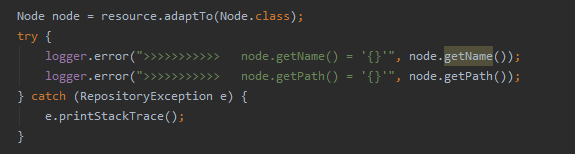
OUTPUT
>>>>>>>>>>> node.getName() = ‘test’
>>>>>>>>>>> node.getPath() = ‘/content/practice/us/en/test’
Below are the methods from Node class.

OUTPUT
>>>>>>>>>>> node.hasProperty(jcr:title) = ‘true’
>>>>>>>>>>> node.getIndex() = ‘1’
>>>>>>>>>>> node.hasProperties() = ‘true’
>>>>>>>>>>> node.isLocked() = ‘false’
>>>>>>>>>>> node.hasNodes() = ‘true’
>>>>>>>>>>> node.isNode() = ‘true’
>>>>>>>>>>> node.hasNode(root) = ‘true’
Node Properties
Use below code snippet to access node properties.
PropertyIterator properties = node.getProperties();
while (properties.hasNext()) {
    Property property = properties.nextProperty();
}
Add Node
node.addNode(“<node_name>”) method will add node and session.save() will help to persist node in AEM instance.
It is important to write once CRUD operations are done as it helps us to persist changes in AEM instance.
node.setProperty("practiceDesc", "This is Practice description.");logger.error(">>>>  node.getProperty(practiceDesc) = '{}'", node.getProperty("practiceDesc"));

Node customNode = node.addNode("custom");session.save();
session.logout();
OUTPUT
Added practiceDesc property in jcr:content node

Custom node added inside jcr:content node.
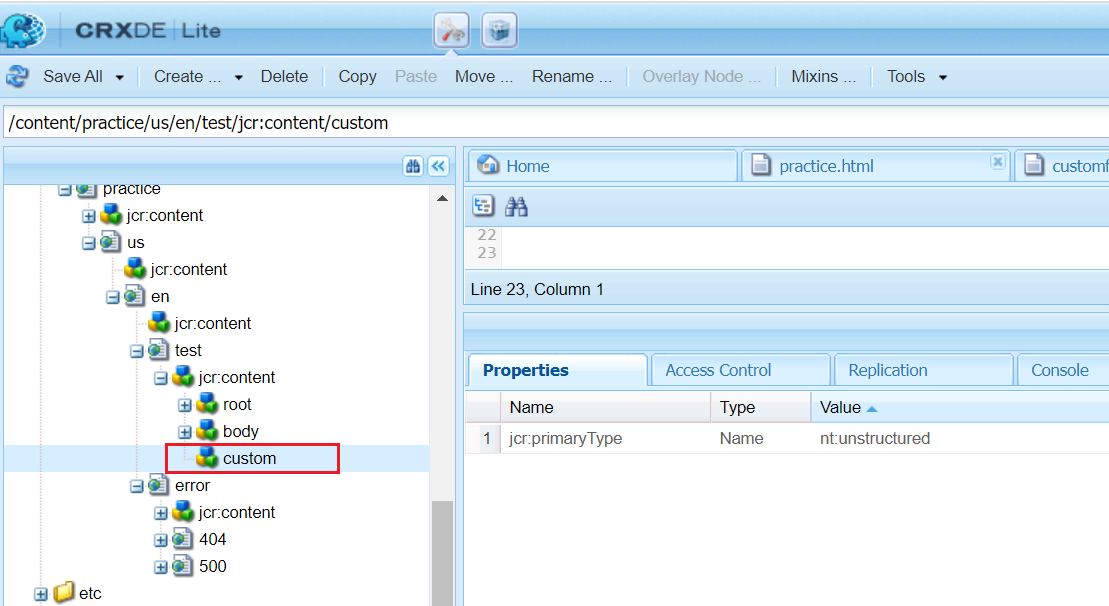
Remove Node
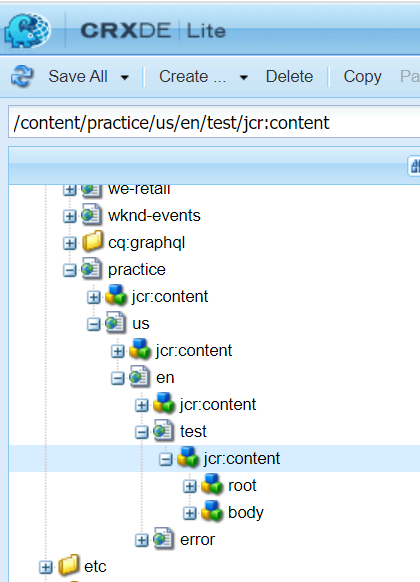
node.remove() will remove node.
node.remove();
session.save();
OUTPUT
Below are the scenarios for node before and after delete
Before Delete
After Delete

Imran Khan, Adobe Community Advisor, certified AEM developer and Java Geek, is an experienced AEM developer with over 12 years of expertise in designing and implementing robust web applications. He leverages Adobe Experience Manager, Analytics, and Target to create dynamic digital experiences. Imran possesses extensive expertise in J2EE, Sightly, Struts 2.0, Spring, Hibernate, JPA, React, HTML, jQuery, and JavaScript.